The browser video editor
agents can drive.
A Premiere-style editor whose whole timeline is one JSON file. Any agent that writes JSON can edit video.
Zero npm dependencies. One node server.js. MIT licensed.
editing timeline 0s 0 tokens
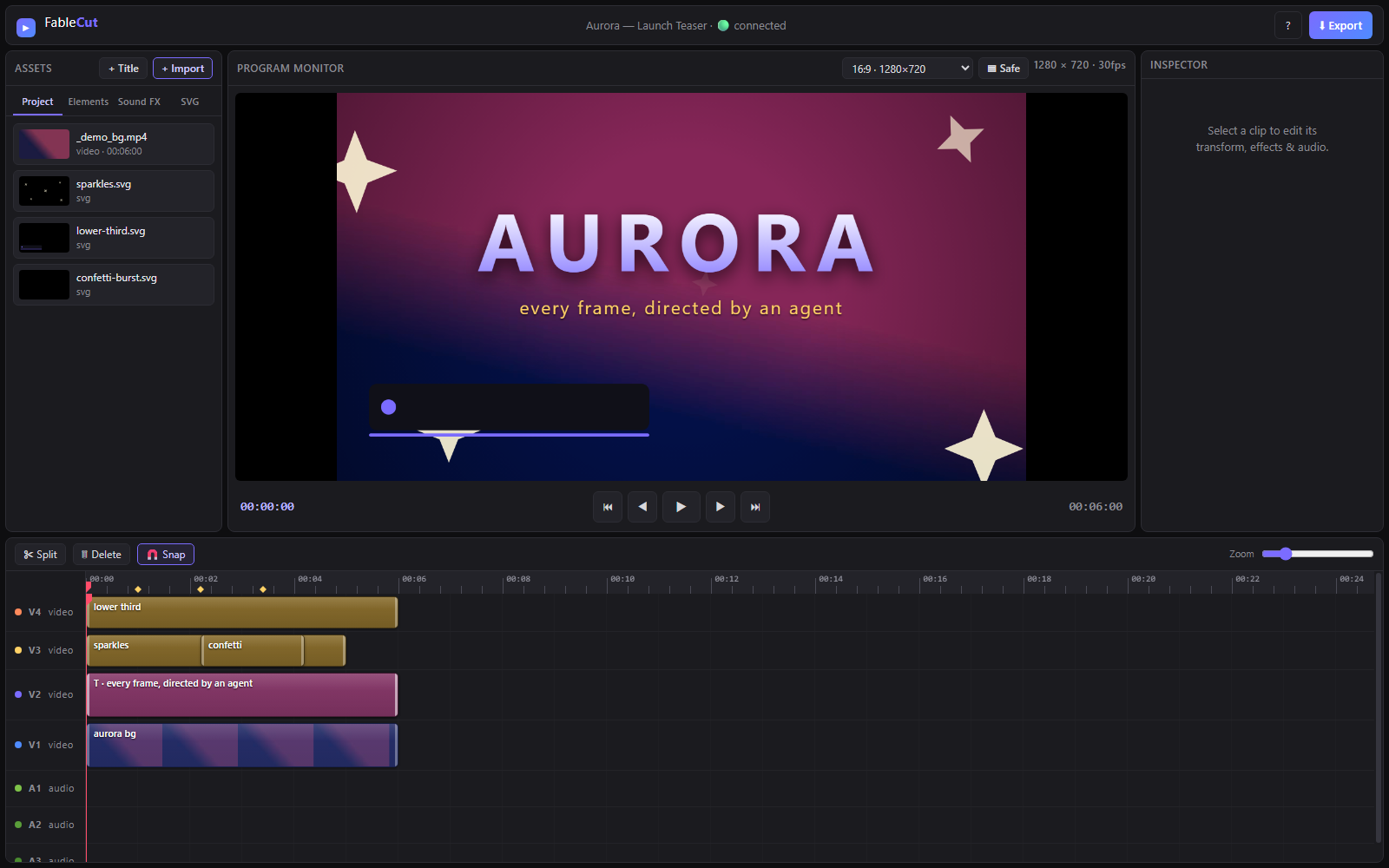
This reel was edited by Claude Code, live.
No timeline dragging, no keyframing by hand. An agent wrote project.json in a real session while the browser reloaded in real time. What you see is the actual output.
How does an AI actually edit my video?
If you cut video but have never let software do the cutting, here is the whole idea in three steps. No coding required to follow along.
-
01
You describe the edit
Ask in plain language: cut this to the beat, drop in a title, grade it cinematic. An agent is simply software that reads your request and acts on it.
-
02
It writes the timeline
Your whole edit lives in one text file,
project.json: clips, tracks, effects, keyframes, transitions. The agent edits that instead of clicking around. -
03
You watch it happen
The open editor reloads in about 150 milliseconds. The timeline updates in front of you. Nudge anything by hand, then export when it feels right.
The project file is the interface.
Most AI video tools hide the edit behind a black-box API. FableCut does the opposite: the timeline is a plain document, and anything that can write it can edit video. A human and an agent can work the same timeline at once.
- MCP serverClaude Code, Claude Desktop, or any MCP client drives it with typed tools.
- project.jsonEdit the file directly. The UI hot-reloads over server-sent events.
- REST APIPlain HTTP for media, analysis, live-reload and export.
{
  "fps": 30, "width": 1080, "height": 1920,
  "clips": [
    {
      "kind": "video", "track": "V1",
      "start": 0, "in": 2.5, "duration": 3.4,
      "props": { "filterPreset": "teal-orange" },
      "keyframes": {
        "scale": [{ "t": 0, "v": 1 },
                  { "t": 3.4, "v": 1.18 }]
      }
    }
  ]
}Up and running in under a minute.
Node 18+ and a Chromium browser. ffmpeg on PATH is optional but recommended for fast export.
Run the editor
git clone https://github.com/ronak-create/FableCut.git
cd FableCut
node server.jsOpens at http://localhost:7777. Since v1.3.1 it binds to localhost only.
Let an agent drive it
claude mcp add -s user fablecut -- \
node "/path/to/FableCut/mcp-server.js"Registers the MCP server for every Claude Code session. Full setup in the README.
Latest release
Fetching the newest version from GitHub.